Design system at scale
Establishing a scalable design foundation for CarMax’s next generation of associate-facing applications.
Role
Design Lead
Year
2024
The problem
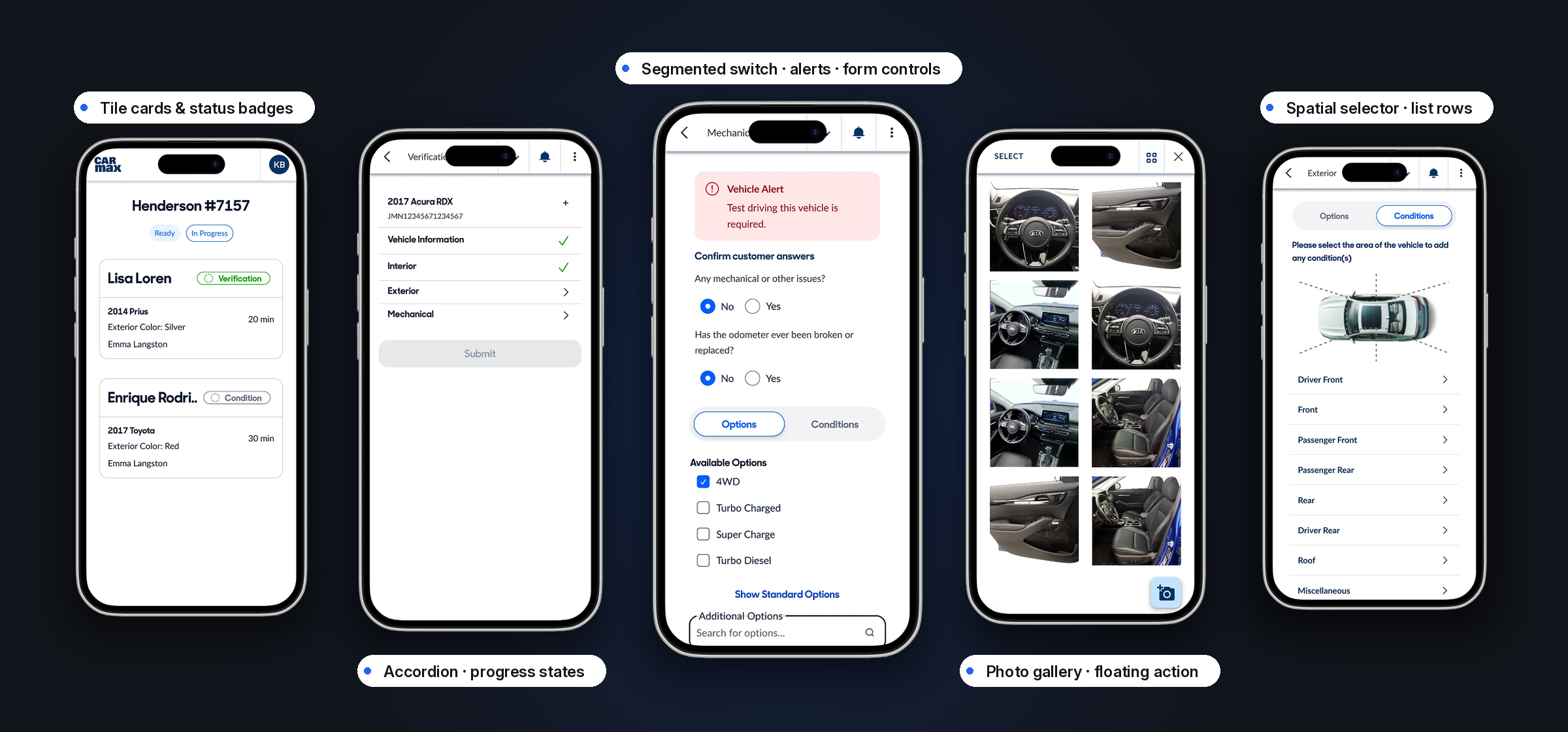
Transitioning associate tools to React Native unlocked crucial mobile-first capabilities, but it broke our shared design language. Because our enterprise MUI system was strictly web-based, react native engineers had no reusable assets to build with. We had to build a native-first system from scratch to protect velocity and preserve brand consistency across platforms.
What carried over to native
- ButtonsReadyNone
- Tile cardsReadyNone
- Status badgesReadyNone
- AccordionReadyNone
- Segmented switchReadyNone
- Alert bannersReadyNone
- Radio & checkboxReadyNone
- Search fieldReadyNone
- List rowsReadyNone
- Photo galleryReadyNone
- Floating action buttonReadyNone
- Step progressReadyNone
12 of 12 ready on web. 0 on native.
My role
Lead Product Designer. I designed the initial flagship React Native app from 0 to 1, establishing its core screens, touch interactions, and visual patterns. To solve our lack of native components, I partnered with engineers to build our token taxonomy and component library from scratch, creating a foundation that matured into the enterprise mobile system adopted by design squads across the company for years to follow.
Ownership & scope
Team of 5 · 3–6 months
01
Flagship app design
02
Token taxonomy
03
Component library
04
Adoption & handoff
Kamarin, Design lead
Mobile engineers
Brand & platform governance
Other design squads
Key decisions
Adoption mattered more than completeness.
- Extracted components from live features first. Every pattern was battle-tested in the flagship app before it became a system.
- Built the shared token taxonomy with mobile engineers, naming tokens and component props together.
- Structured variants and states for adoption, so future squads could extend the library without breaking it.
Anatomy · the queue card
Lisa Loren
VerificationNone of these were one-off choices. Each was set once here, then reused by every screen that followed.
One corner rule
The card and the pill inside it follow the same rounding, so nothing gets shaped by hand.
Status is a word, not a colour
Every badge pairs an icon with a label, so the meaning holds when colour is stripped out or the badge is tiny.
One hairline does the separating
A single divider splits who the customer is from what the vehicle is. No nested boxes.
Hierarchy from weight and position
Three text levels carry the whole card. Size is never used to shout.
Duration holds one corner
Time sits in a fixed right-hand column so a queue can be scanned top to bottom.
Outcomes
A foundation that scaled beyond the first app.
- Scaled from our single pilot app to 3 product teams building on the same component library.
- Shipped 20+ high-utility core components, focused on what teams actually needed rather than a bloated library.
- Held up over time: designers picked it up 1–2 years later and built with it without constant hand-holding.
The core library, shipped
- Buttons
- Tile cards
- Status badges
- Accordion
- Segmented switch
- Alert banners
- Radio & checkbox
- Search field
- List rows
- Photo gallery
- Floating action button
- Step progress
20+ core components shipped. These are the ones teams reached for first.
Transferable problem spaces
AI-powered · Ask anything
Ask about this case study
Describe what you want to know. Answers come only from this portfolio.
Next case study
Real-time process visibility→